HIC SUNT LOCALHOST
Article: PSA be aware of the difference between localhost and 127.0.0.1
I was bit in the butt by a bug that sprung up at me over the weekend. It really wasn’t a bug but I think it should be. I explain more down below. Over the weekend I setup a new VPS with Linode where its only job was to be my central always-running syncthing server in the cloud. Upon first setting it up was able to reverse SSH tunnel to it using my standard SSH config and keys using this command. (hic sunt localhost is a play on words from the old Hunt-Lenox-Globe which coined the phrase “Here be dragons” or “hic sunt dracones” in Latin.) 
ssh -L 9092:localhost:8384 linode2
What this allows me to do is open my web browser and type in localhost:9092 and viola, I’m interacting with the web GUI of my Linode VPS server. I was able to setup new Remote Devices and Folders and “syncthing“s together. Then the next day I needed to add another laptop where I ran into the issue where I could no longer get into the web GUI of the my Linode VPS, AKAlinode2, server. Upon running the SSH reverse tunnel command, I was greeted with the standard SSH connection which is to be expected. But as I just mentioned I was not able to login via the GUI. I began to check the logs and systemd to verify if syncthing was infact running, which it was. I even resorted to restarting the server thinking the tunnel must have hung up the 9092 port somehow. Still no resolution.
Below is what the commandline prompt outputted every time I would try to connect via the web GUI:
channel 3: open failed: connect failed: Connection refused
channel 3: open failed: connect failed: Connection refused
channel 3: open failed: connect failed: Connection refused
channel 3: open failed: connect failed: Connection refused
channel 3: open failed: connect failed: Connection refused
channel 3: open failed: connect failed: Connection refused
After conversing with my friend Claude, he told me of a few things to test that could be causing the issue:
The SSH tunnel is connecting fine, but syncthing’s web GUI isn’t accessible on the remote end. The fact that syncthing is syncing files doesn’t mean its web GUI is listening where you expect.
Here’s how to troubleshoot:
1. Check what Syncthing is actually listening on:
SSH into linode2 and run:
ss -tlnp | grep syncthing
# or
netstat -tlnp | grep syncthing
Look for what address/port the GUI is bound to. You might see something like:
127.0.0.1:8384(good - localhost only)0.0.0.0:8384(listening on all interfaces)- Nothing on 8384 (GUI might be disabled or on different port)
2. Check Syncthing’s config:
cat ~/.config/syncthing/config.xml | grep -A 5 "<gui"
Look for the <address> line. Common issues:
- GUI is disabled:
<gui enabled="false"> - Wrong address:
<address>192.168.1.x:8384</address>instead of127.0.0.1:8384 - Different port entirely
3. Test local connectivity on the remote server:
While SSH’d into linode2:
curl http://127.0.0.1:8384
# or
curl http://localhost:8384
If this fails with connection refused, the GUI isn’t listening on localhost:8384.
Most likely causes:
- Syncthing GUI is bound to a specific IP (not localhost/127.0.0.1)
- GUI is listening on a different port
- GUI is disabled in the config
Once you find what it’s actually listening on, adjust your SSH command accordingly. For example, if it’s on 0.0.0.0:8384, your command should still work. If it’s on a different IP like 192.168.1.10:8384, you’d use:
ssh -L 9090:192.168.1.10:8384 linode2 -i ~/.ssh/id_ed25519
What do you see when you run those checks?
I responded with:
all of this checks come up positive. all the things are working as intended but i cant get the web login to show up. gui is set to enabled=true. address is set to 127.0.0.1:8384. and curl http:127.0.0.1:8384 brings up a whole bunch of html code which means its working right. so there should be something else happening here
Where Claude rebuddled with:
Ah, if curl works directly on the remote server but the SSH tunnel can’t connect, there are a few specific things to check:
1. Test if the tunnel is actually establishing:
On your local machine (while the SSH session is open), run:
ss -tln | grep 9090
You should see something like 127.0.0.1:9090 in LISTEN state. If you don’t see this, the tunnel isn’t being created.
2. Check for localhost resolution issues on the remote side:
When you run your tunnel command, SSH resolves “localhost” on the remote server. Try explicitly using the IP:
ssh -L 9090:127.0.0.1:8384 linode2 -i ~/.ssh/id_ed25519
Sometimes localhost resolves to ::1 (IPv6) instead of 127.0.0.1, and if Syncthing is only bound to IPv4, that would cause this exact error.
3. Verify with verbose SSH output:
ssh -v -L 9090:127.0.0.1:8384 linode2 -i ~/.ssh/id_ed25519
Look for lines about the local forwarding being set up. When you try to access it in your browser, you should see connection attempts in the SSH output.
4. Test with a direct connection through the tunnel:
While the SSH tunnel is running, from your local machine try:
curl http://127.0.0.1:9090
Does this work, or does it also fail? If curl works but the browser doesn’t, it might be a browser caching issue.
5. Check if something local is blocking port 9090:
sudo lsof -i :9090
If something else is already using 9090, the tunnel won’t work.
What results do you get from these tests?
I didn’t need to get very far upon reading his response to find the issue I was dealing with this entire time. In fact it was suggestion #2 that helped me solve it.
Apparently, the day I setup linode2 it defaulted to using the IPv4 and let me log into the web GUI just fine but after an update then rebooting the server it must have swapped over to IPv6 as default where localhost != 127.0.0.1 but localhost == ::1. I know IPv6 is indeed the future but I don’t like being forced things when things are still very much standard and still will be the standard for perhaps another 10 or 20 more years as it was thought IPv6 would have taken over by now but it still hasn’t. And don’t get me into “NAT” and “SLACC” and firewalling IPv6, but that is for another day. 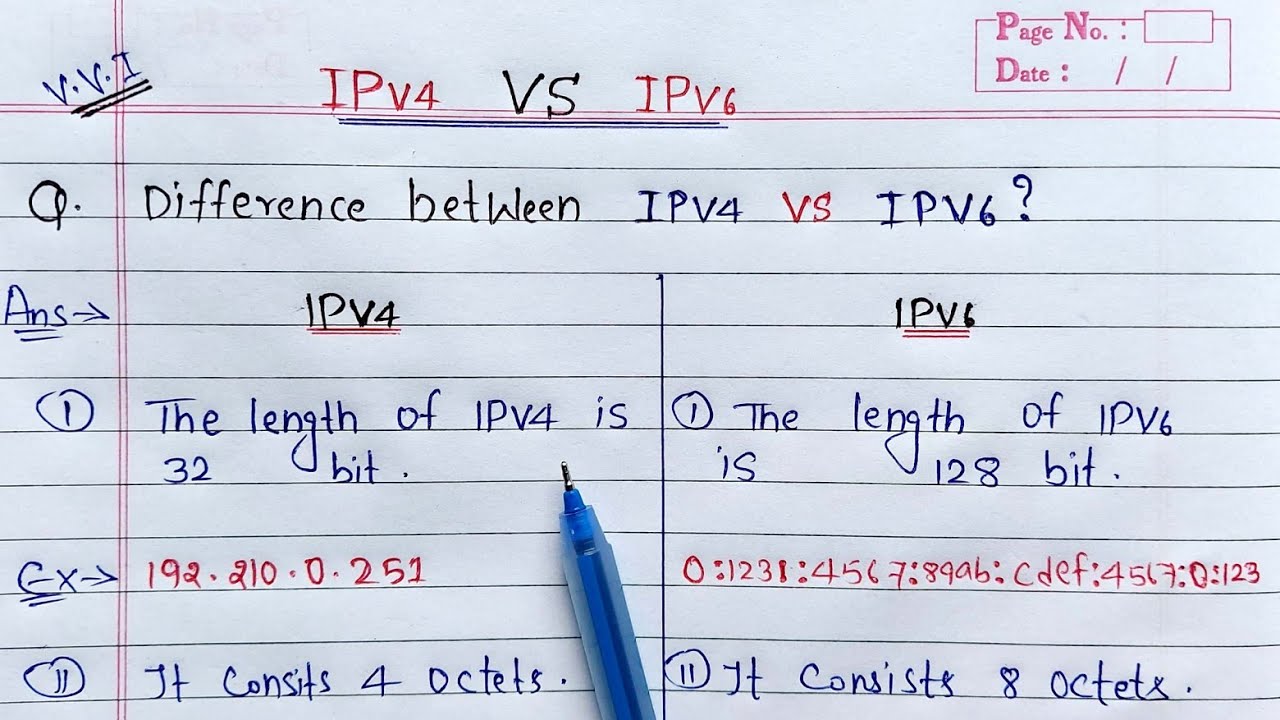
Conclusion
The moral of the story is don’t expect things to work they were designed to work tomorrow as there is always innovation. Be adaptable and willing to learn. Or the be opposite, I don’t care, I’m not your momma, but I did learn a valuable lesson about the “word version” of something like 127.0.0.1 is the loopback or “localhost” is not something to take for granted anymore. My muscle memory knew it always worked and I couldn’t see past why it wouldn’t work as it was the day prior but that will help keep a more vigilant eye on things of this nature in the future.