Hardware

My Take on Synology as a Sys-Admin

My Take on Synology as a Sys-Admin

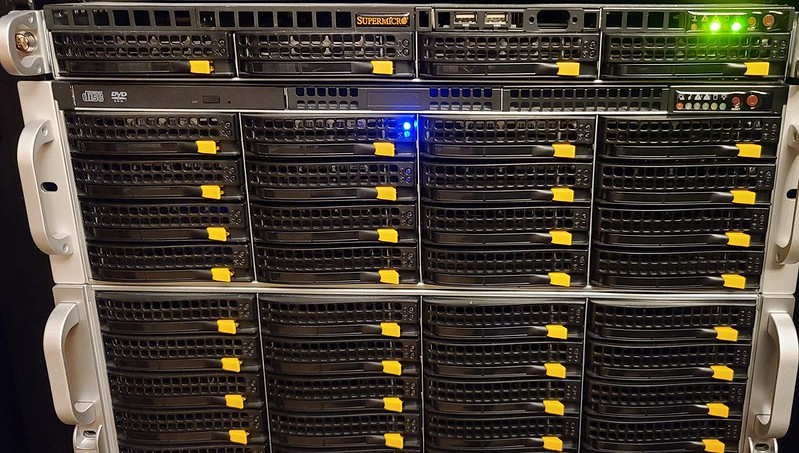
I first dipped my toes into using Synology though their top-notch NVR system. I had eight cameras at the time around my house and it worked very well for myself and my family, though paying $40-$50 a license per camera can get expensive fast. I didn’t really use it for its other features for years until a fellow sysadmin introduced to me the functionality that it had offered him as he did large project like setup NVR and NASes for the city and school systems. It intrigued me enough to accept his proposal of bringing in a Synology 4U rackmount server into my main datacenter.

Giving New Life to a Chromebook

Giving New Life to a Chromebook

I am the new owner of a hand-me-down Chromebook that to me, now has a new reason to exist. No longer is it tied to Google and their tracking and ads policies. Rather it is its own system now, complete with Arch Linux/EndeavourOS on i3-wm.

I first purchased this laptop for my oldest child who required something for online school during the Covids and I landed on the Lenovo S340-14. Inside it has a Celeron N4000 dual core/dual hyperthread CPU, 4GB of RAM, 64GB of storage, and a 14 inch TN screen at 1920x1080 and 220 nits. It worked fine for her during that time but now that its basically a paperweight now that she has my System76 i7 Dart Pro gen 1 laptop ((I need to make a review on about it one day) which was before they stared using coreboot and is 15.6" rather than either 14" or 16" they have now, but that is a story for another day).

The Reasons I Keep Going Back to MikroTik

The Reasons I Keep Going Back to MikroTik

I have been using MikroTik (my-crow-tick or me-crow-teek), or however you want to pronounce it, for several years now and I just keep coming back to using it. MikroTik, for the uninitiated, can be quite a difficult system to learn and use. There are quite a bit of gotchas that can bite you along the way and even now, some things can still trip me up if I’m not paying attention to what I’m doing. Read below under Final Thoughts for the great benefits that I have found from using MikroTik and for those TLDR enthusiasts.

My MikroTik Firewall Rules

My MikroTik Firewall Rules

I wanted to show a little firewall rule that I setup that will allow an entity to attempt to login via SSH or Winbox and have them locked out for 21 days after so many attempts. You can tweak this to allow for more attempts and or have them locked out indefinably. This might be considered a tar pit for those that know that term except this is a manual tar pit that acts a little differently than the one MikroTik has built-in.

Pixel 4 on GrapheneOS EoL:

Pixel 4 on GrapheneOS EoL:

Editor’s Note GrapheneOS has placed the Pixel 4 line in legacy extended support which is great news as I believe many people complained and or threw money at the GrapheneOS creators.

Unfortunately, my Pixel 4 XL that I have been using with GrapheneOS for around two years now is End-of-Life. All the Pixel 4 range except the Pixel 4a(5G) will no longer be getting any extended support nor security updates as of Oct 1, 2023. This sucks as the Pixel 4 XL has been the best phone I have ever used and I do not want to give it up. I will be looking for alternative ROMs to be installing but finding one that offered all the great things GrapheneOS does is going to be hard.

My Thinkpad Woes

My Thinkpad Woes

My thinkpad and some mate

Maybe its my fault but my latest hardware purchase a Lenovo Thinkpad X1 Extreme Gen4 has been nothing but issues for me. Lets start with the hardware. I thought purchasing a badass laptop with a 4K display, RTX 3070 mobile, a 16:10 aspect ratio, and all the other great aspects that a powerful laptop is known for would translate well into a beast of a machine that can handle anything I give it. Apart from this system not being very often used in the Linux world due to the lack of specific pages specifying what works and what doesn’t, the consensus was always the fact that Lenovo drivers were well supported on most or all Linux distros. If I was running Windows as my daily driver that assumption would reign true, the system would just work. Well…, I don’t want to run Windows nor do I like to use it if I can avoid it.

The Frailties of mdadm RAID and Why I Wont Ever Use It Again

The Frailties of mdadm RAID and Why I Wont Ever Use It Again

A descriptive caption

PSA!!!

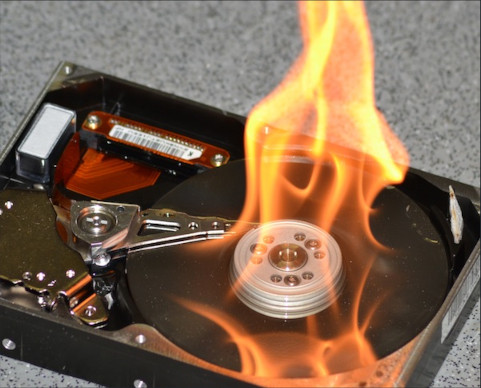
As a homelabber I have used several filesystems across many machines. When I first began the simplest was EXT3 and its predecessor EXT4 is still the simplest journaling file system around. After a while I started to look for redundancy via mdadm’s RAID on Linux. From then on I had RAID arrays usually consisting of RAID1 or mirror on most of my systems whether it be on HDDs or SSDs. But only after 10 plus years have I had a reason to take an old unused RAID1 HDD and try to get a file out of the drive, I have found it to be virtually impossible.

Replace HDD in Server Chassis on Linux

Replace HDD in Server Chassis on Linux

In this scenario I want to replace a HDD in my ZFS tank0 pool. The pool has grown from 4 TB across 3 HDDS to 8TBs. I have swapped out two of the HDDs in the pool but I’m needing to swap out the last one to finally start using 8TB of storage where right now I’m stuck at 4TB.

Now, I have several things I can do to swap out this hard drive but since I didn’t use the /dev/by-disk or /dev/by-id labels and all of my HDDs in my zpool pull are labeled as /dev/sdx, I don’t know which one it currently is I’m needing to replace.