Linux

Sometimes You Just Need to Reboot Your System

Sometimes You Just Need to Reboot Your System

arch linux logo

If you ever have an issue with Arch Linux it could be due to a kernel issue. Due to its rolling release nature. Most updates usually comes with a new kernel version. Due to the mismatch between what you are running and what Arch Linux is now looking for, various things can stop working.

For me this specifically was the OS would not detect any new USB stick I had just plugged into my computer. After identifying that it was a kernel issue, performing a simple reboot resolves the issue.

i3-wm Advanced Lessons

i3-wm Advanced Lessons

After using i3-wm (which I will call i3 from here on out) for over 5 years now, I have pretty much got it almost exactly how I like it. For reference here is my latest i3 config which can be found at https://git.wretchednet.com/wretchedghost/i3-wretchedbox This config might change here and there so check often as some things might have been updated since this post.

Today’s lesson will revolve around some advanced tweaks to add to your config for a more finely tuned system on i3.

Sweet ffmpeg Script to Speed Up Convert Times with AMDGPU

Sweet ffmpeg Script to Speed Up Convert Times with AMDGPU

My current specs can be found here: https://wretchedghost.com/about.

After pulling all the photos and videos from my wife’s iPhone I soon ran into an issue where I found all of her videos were a MOV format. Normally this is not an issue due the fact I can use VLC which can play anything I give it but other software, in this case Synology Photos, would not play this at all on the computer. On a mobile device it had no issues but if my computer has issues with it then I’m sure other devices would be afflicted as well.

WretchedGhost's Arch Install Guide

WretchedGhost's Arch Install Guide

Editor’s Note Here is a guide of my super simple install of Arch Linux using a fork of Classy Girraffe’s that users LUKS, ext4, GRUB2, swapfile, and tmpfs. It can be found here. I also have my i3 dotfiles that you can check out here

This guide does not hold your hand so you will either need to research a few things you do not know or you must already know what commands and flags are needed when presented.

WretchedGhost's Arch Install Guide

WretchedGhost's Arch Install Guide

Editor’s Note Here is a guide of my super simple install of Arch Linux using a fork of Classy Girraffe’s that users LUKS, ext4, GRUB2, swapfile, and tmpfs. It can be found here. I also have my i3 dotfiles that you can check out here

This guide does not hold your hand so you will either need to research a few things you do not know or you must already know what commands and flags are needed when presented.

Mounting Mulitple Drives at Boot Time using LUKS (dm-crypt)

Mounting Mulitple Drives at Boot Time using LUKS (dm-crypt)

Mounting more than just the root partition at boot using LUKS/dm-crypt is a little more complicating than setting up just the one. Rather than just placing your UUID of the root partition in the /etc/default/grub file you have to go through several more steps. Follow along as I describe a simple way to get more than one partitions/disks mounted at boot time.

When you might not want mount-encrypted drives at boot.

A descriptive caption

Having encryption at rest built into a partition/disk is a great way to keep those who have physically compromised said disk out from reading your data easily.

The Frailties of mdadm RAID and Why I Wont Ever Use It Again

The Frailties of mdadm RAID and Why I Wont Ever Use It Again

A descriptive caption

PSA!!!

As a homelabber I have used several filesystems across many machines. When I first began the simplest was EXT3 and its predecessor EXT4 is still the simplest journaling file system around. After a while I started to look for redundancy via mdadm’s RAID on Linux. From then on I had RAID arrays usually consisting of RAID1 or mirror on most of my systems whether it be on HDDs or SSDs. But only after 10 plus years have I had a reason to take an old unused RAID1 HDD and try to get a file out of the drive, I have found it to be virtually impossible.

Gitea Setup and Install on Ubuntu 20.04 and Others

Gitea Setup and Install on Ubuntu 20.04 and Others

A descriptive caption

After an exhaustive exercise of finger tapping on my keyboard and several attempts to clear my head by walking away from the computer, I have finally setup a Gitea instance. Following the how-tos online seemed simple enough. Follow the steps, install a user, setup permissions, download a file and bam you are good to go. But that is the furthest from the truth for my experience. I have followed what seemed to be ten different how-tos that somehow seem to differ even between the same distro install. Each of which if you were setting up a server on your local machine would work but in my case of setting it up on my Linode instance where you have no access to the GUI and or a web interface that is able to look at the localhost or 127.0.0.1 it was just was nigh impossible. The logs showed I was reaching the server every time but still nothing showed up. But I digress.

bmon CLI Network Traffic Viewer

bmon CLI Network Traffic Viewer

A descriptive caption

In my ever continuing effort to use the command-line more, one tool that allows any command-line-junky to view their network traffic in real time is called bmon. It can be installed via any package manager: ie, apt, pacman, portage, etc.

Test HDD, SSD, and USB Read/Write Speeds with dd

Test HDD, SSD, and USB Read/Write Speeds with dd

I have found a fancy way to test the speeds of my media devices by using the dd tool. For those that don’t know what the dd command stands for or does, Disk/data Duplicator is a tool that was used in the old BSD/AT&T days but still has great functionality today.

Mostly dd is used for writing a .iso to a USB to be used to boot into a Linux distro or what have you. It can also be used to copy a block file or an entire disk to another disk or partition, which is kinda what we are going to be doing in this speed test example today.

Weird Issue with Tailscale and How to Fix it on Arch Linux

Weird Issue with Tailscale and How to Fix it on Arch Linux

On my distro of choice, Arch BTW, I had a weird issue where I couldn’t find a proper solution for. My Tailscale would not let me turn it on and would give me an error where the server and the installed version were mismatched.

After doing some research I found that the backend, the installed version, and the CLI version must have the same versions. I did not find a way to choose a previous version other than the git version which is actually newer than the one you get with tailscale through the AUR. So after thinking about how I would go about fixing this, I remembered I used the AUR program called downgrade that will allow you to downgrade installed programs to an older version. downgrade will even ask if you want to make sure it doesn’t automatically upgrade to a new version when you run a pacman -Syyu by locking it in the /etc/pacman.conf file. I used this program in one of my other posts when rofi decided to break my config when it jumped from version 1.6.x to version 1.7. This can be found here: https://blog.wretchednet.com/post/rofi-broken Similarly, another post about MakeMKV which was broken can also be referenced https://blog.wretchednet.com/post/makemkv-version-requires-downgrade/

The How and Why You Might Want to Use Arch's Downgrade Feature

The How and Why You Might Want to Use Arch's Downgrade Feature

As of 20220926, MakeMKV is broken on Arch Linux due to glib and various other files being updated in Arch but not in MakeMKV. To fix this issue which shows up as a “Fatal error”, you must install downgrade from the AUR.

This is a feature found in almost every Linux package manager but the one built designed for pacman works very easily and offers you various versions of the previous builds so that you could downgrade other programs that may act funky or are not working correctly.

Bringing Rsnapshot Back From the Dead on Debian

Bringing Rsnapshot Back From the Dead on Debian

For those of us who use rsnapshot, moving to another backup solution is really not a pleasant thought. Debian 11 Bullseye brought along new features, updated packages, and a new kernel. Unfortunately it also dropped support on some packages, namely rsnpashot. This was done, I’m sure with a purpose to keep packages that are still being developed running in the latest distro. And since Debian usually runs for about two years between major update version it was made that rsnapshot was to not be added the the Debian 11 release due to rsnapshot not being maintained for two years.

Reduce SSD Wear When Running ZFS: Plus Extra Tips

Reduce SSD Wear When Running ZFS: Plus Extra Tips

A few tricks to reduce SSD (NOT NVMe/M.2) wear when running ZFS:

  • Remember to enable autotrim option on the pool. You should also setup a cron job to run zpool trim tank0 weekly or bi-weekly. Replace tank0 with your tank/dataset name.
zpool get autotrim tank0  # check trim
zpool set autotrim=on tank0   # enable trim on tank0
zpool trim tank0  # run trim manually
  • Use a large ashift of at least 12 but 13 is better. It will reduce write amplification. Jim Salters, recommends that you go higher than lower when choosing ashift which a too low can cripple whereas a high ashift won’t have much impact on most normal workloads. (You cannot change a pool vdev ashift once it has been set.

Proxmox Backup

Proxmox Backup

After running Proxmox on my server in my homelab as well as for work for several years now, I have looked into ways to backup the essential files for an easy reinstall if and when needed. Since most Proxmox setups run on bare metal hardware recover is a little more involved than just creating a snapshot or backup and reverting to an earlier point in time.

I often backup the files with rsnapshot, but sadly Debian 11 has dropped rsnapshot from their repo due to the fact that rsnapshot hasn’t been maintained in over two years. I do have a fix for that by following this link here: https://blog.wretchednet.com/post/bringing_rsnapshot_back_to_debian/. Update it appears that rsnapshot is back up and running on Debian 12 stable.

Custom Git Commit Push Alias

Custom Git Commit Push Alias

I normally don’t create nor use tons of aliases in my .bashrc file. I have a few that tweak how grep and ls show color in the prompt and others where I can change directory by typing .. or … which perform cd ../ and cd ../../ respectively, but because of my roaming nature, where I bounce around from one computer/server to another where it may or may not have a configured .bashrc nor .vimrc, I have always tried to keep my dot-config-files mostly vanilla. My bashrc can be found here: github.com/wretchedghost/bashconfig I am also of the mind that aliases can make you dumb since you will be relying on the alias you created and not on what the alias might be doing in the background, but I digress.

Backing Up to Google Drive Using Rclone

Backing Up to Google Drive Using Rclone

After I recently setup rsnapshot as my backup solution, which can be found here https://blog.wretchednet.com/post/rsnapshot/ I started looking at options on how to remotely backup my workstation. I used Backblaze for a while but I wasn’t too happy with their interface. I looked at getting another cloud backup solutions but each one would either cost quite a bit more per month and or had similar or worse user interfaces.

I decided to go with Google Drive since I’ve had it for years, its free for up to 15 GB, and the interface is simple to index and use. Most of my initial backups would only be a few gigs, but whenever it came time to get the higher tier from Google Drive, I can get 100 GB for not too crazy of a price.

Best ZFS Snapshot Scripts

Best ZFS Snapshot Scripts

I came upon a very powerful and simple script when I was searching for a good way to automate the ZFS snapshots. I have found this to the best one so far in terms of how I can edit the script and tweak it for my use very easily. 

I know that other scripts and programs exist such as sanoid by Jim Salter, which you can find at his GitHub page here jimsalterjrs/sanoid, but I have found iceflatline’s script to be quite good at what it does which is a basic ZFS snapshot creator. 

Git Init Pull

Git Init Pull

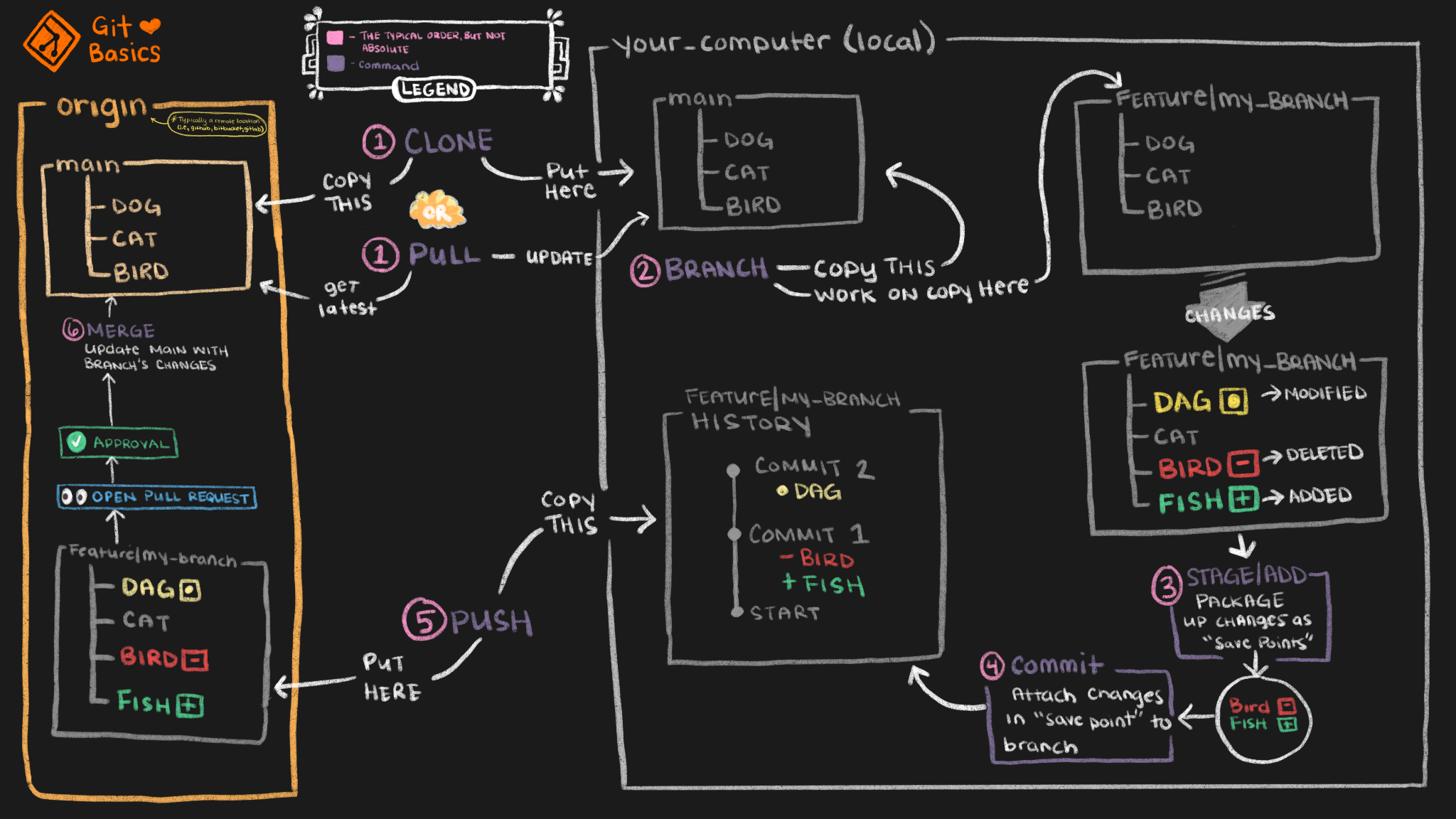
Creating a new git repo is a little more involved than one that is already setup but here are the simple steps to get one rolling. I prefer to use SSH over HTTPS due to security and ease of use from the command line.

Setup

We need to first do a few things to make a commit as easy as possible.

  1. Create a ssh key if you haven’t already. This will be placed in ~/.ssh unless you tell it otherwise with the -f flag.

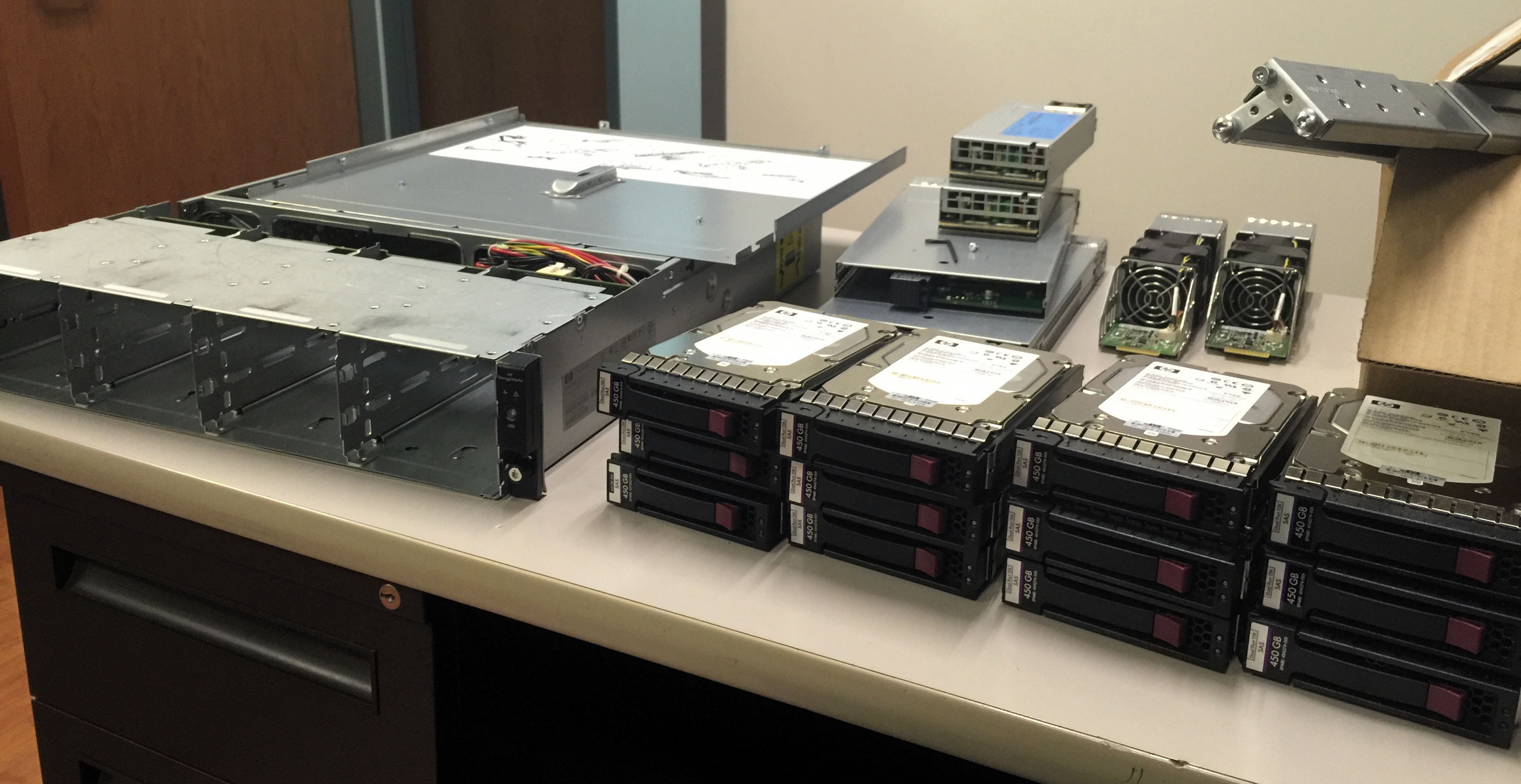
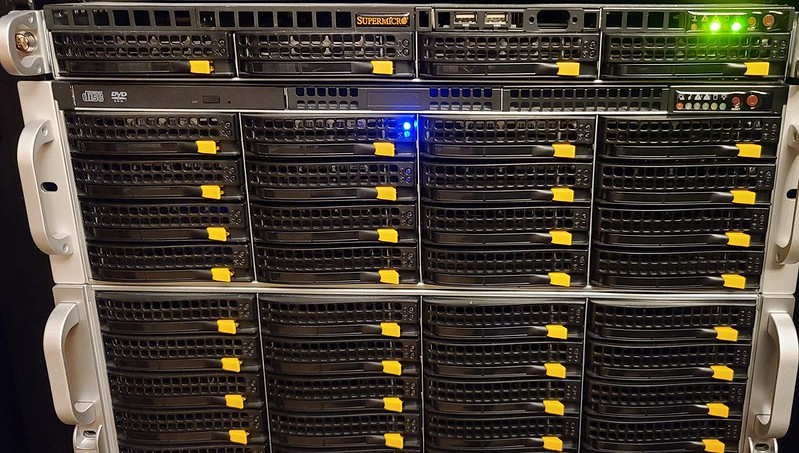
Replace HDD in Server Chassis on Linux

Replace HDD in Server Chassis on Linux

In this scenario I want to replace a HDD in my ZFS tank0 pool. The pool has grown from 4 TB across 3 HDDS to 8TBs. I have swapped out two of the HDDs in the pool but I’m needing to swap out the last one to finally start using 8TB of storage where right now I’m stuck at 4TB.

Now, I have several things I can do to swap out this hard drive but since I didn’t use the /dev/by-disk or /dev/by-id labels and all of my HDDs in my zpool pull are labeled as /dev/sdx, I don’t know which one it currently is I’m needing to replace.

Rsnapshot

Rsnapshot

I think of myself as an advanced Linux users. I have been using it exclusively for over 10 years plus and as a homelab enthusiast and a network/system administrator for my job, I use it every single day. But I hadn’t taken the time to sit down and really give rsnapshot a decent try. I have worked with rsync and scripting during all of this time but now that my needs are expanding, rsync is not keeping up with the scale. It took a little bit of time to understand how to work with the config file but once I had learned it, I implemented it on all my servers and workstations.

Save a File as Sudo Without Exiting Vim

Save a File as Sudo Without Exiting Vim

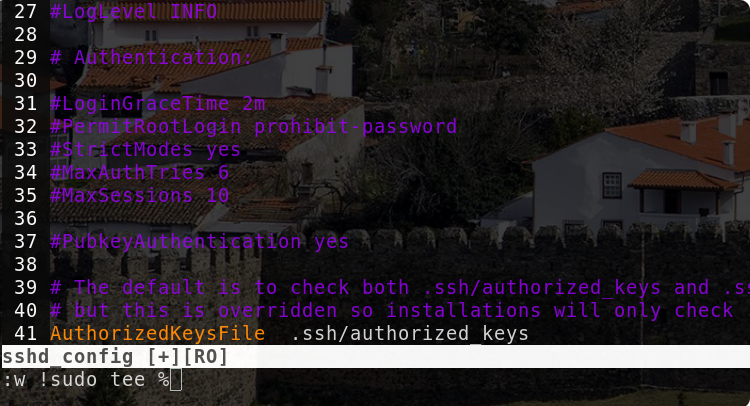
I have often opened a file which I did not first run as sudo in vim, edited the file, then to only find out that it is in read-only mode. I would then have to close the file then re-open it as superuser then make the changes needed. I found this to be very frustrating and found out there are several ways to get the file edited by inserting commands in command-mode using vim.