Checkmk Ntfy Integration
I recently came upon a new program for myself that simplifies notifications and integrates with checkmk. This program is called ntfy and it, coupled with my Linode instance, provides me with a means to get notifications of all of my servers, tailscale approvals, SSH logins, and more virtually instantly via ntfy’s notification software which seems to be more reliable than email and faster than text messages.
First lets begin with checkmk.
Checkmk
After trialing and erroring on various other network and system management software I came across checkmk. The software I installed was via the Proxmox VE Helper Scripts webpage. From here people have already curated various LXC containers and VMs that just run. The helper scripts are very much like Docker but are built into Proxmox via the LXC integration and without the need for the Docker overhead and dedicated VM. Plus with each LXC container you can download the install script and tweak the setting before you set up the container. Most of the time the default is fine but I still am hesitant to use this without looking more closely at exactly how these containers are setup and would not put this into a business environment without closer inspection.
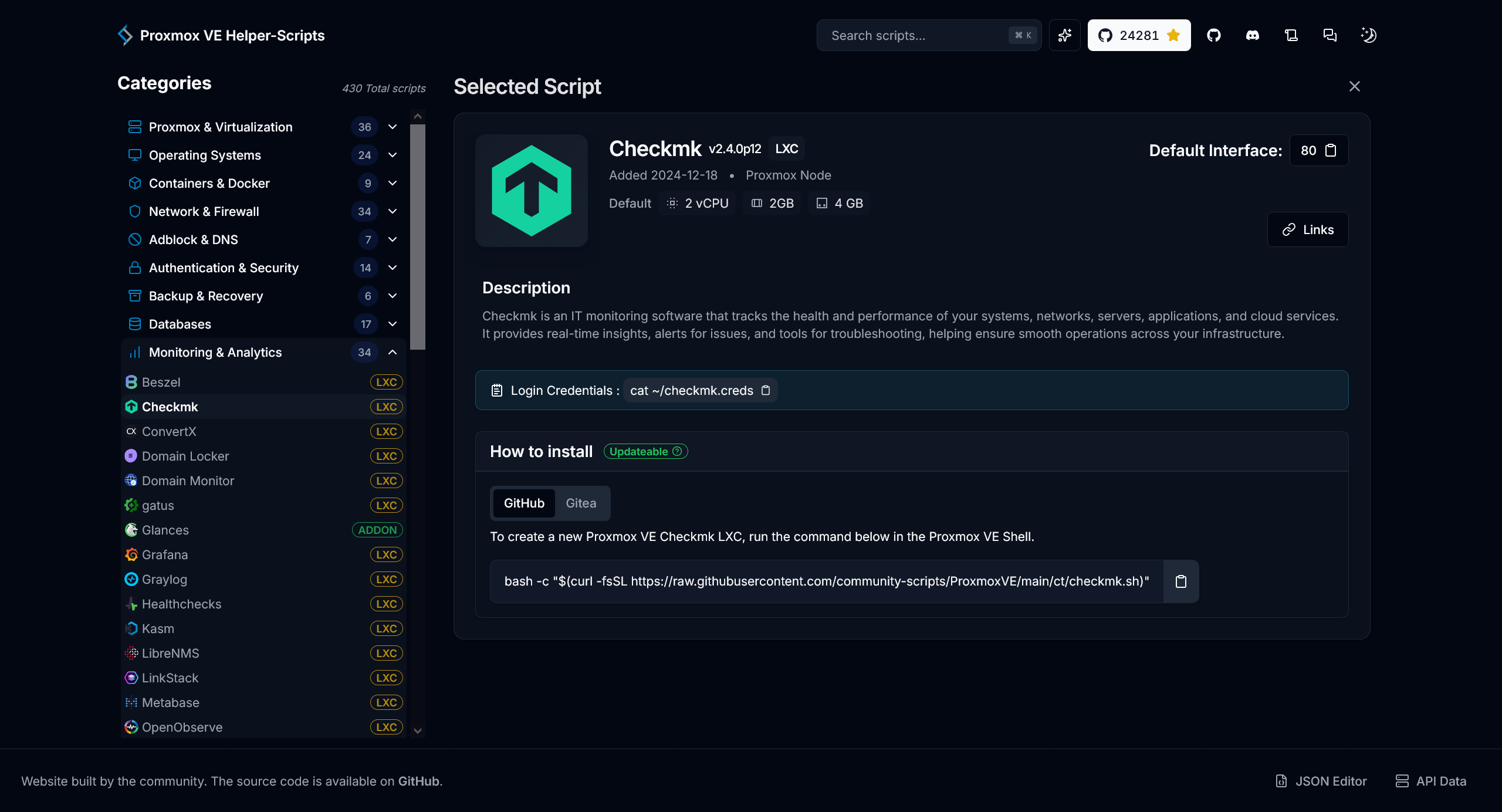
The above pic shows a simple description and the install curl pipe script :scary-face:. Once you paste that into the main VE or your Proxmox server, not into a container itself, the script will run you through various options. Most of the defaults are fine and once setup you will have a new LXC container built, enumerated, and populated.
To login you need to use the cmkadmin user and the password you used during the setup process.
From here, like with most monitoring software there are a lot of options but nothing really going on yet. Head to Setup -> Agents -> Linux so we can install the .deb. file on your server and or LXC container. The first option in the top left corner under Packaged Agents -> check-mk-agent_2.4.0p12-1_all.deb is the file you are looking for. This of course will download it to your local computer. You will need to either scp it to your server and or install it on your local machine, if you are running a Debian based distro. I am running Arch, BTW so my install is actually just in the Arch repo.
sudo pacman -S checkmk-agent.
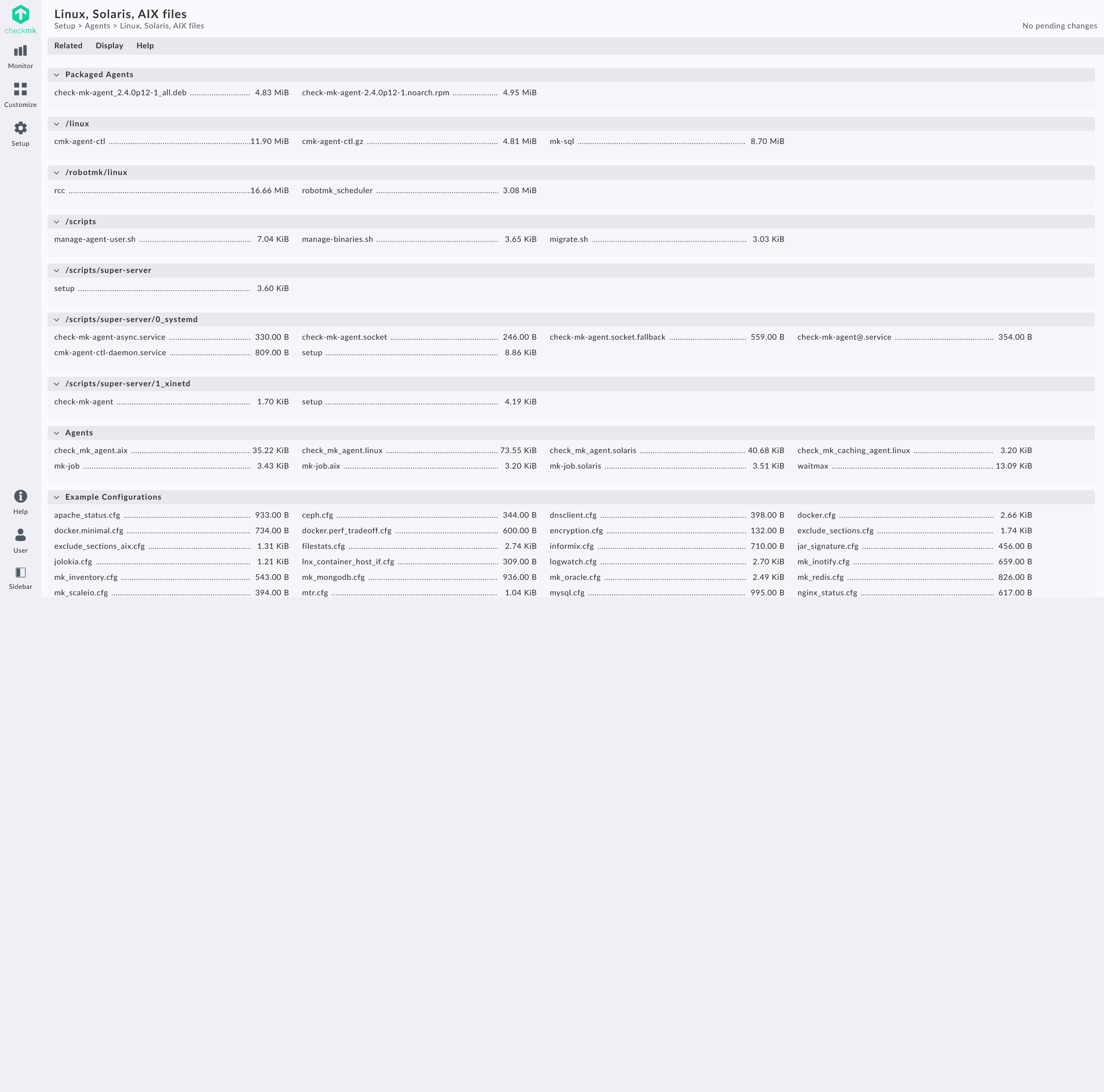
In a Debian based distro you will need to run sudo dpkg -i check-mk-agent_2.4.0p12-1_all.deb which will install the .deb package via the dpkg or the manual Debian Package software. Once that is on your computer or server we will now go back to Setup -> Hosts -> Hosts -> Add host which will allow us to add a host via a few settings.
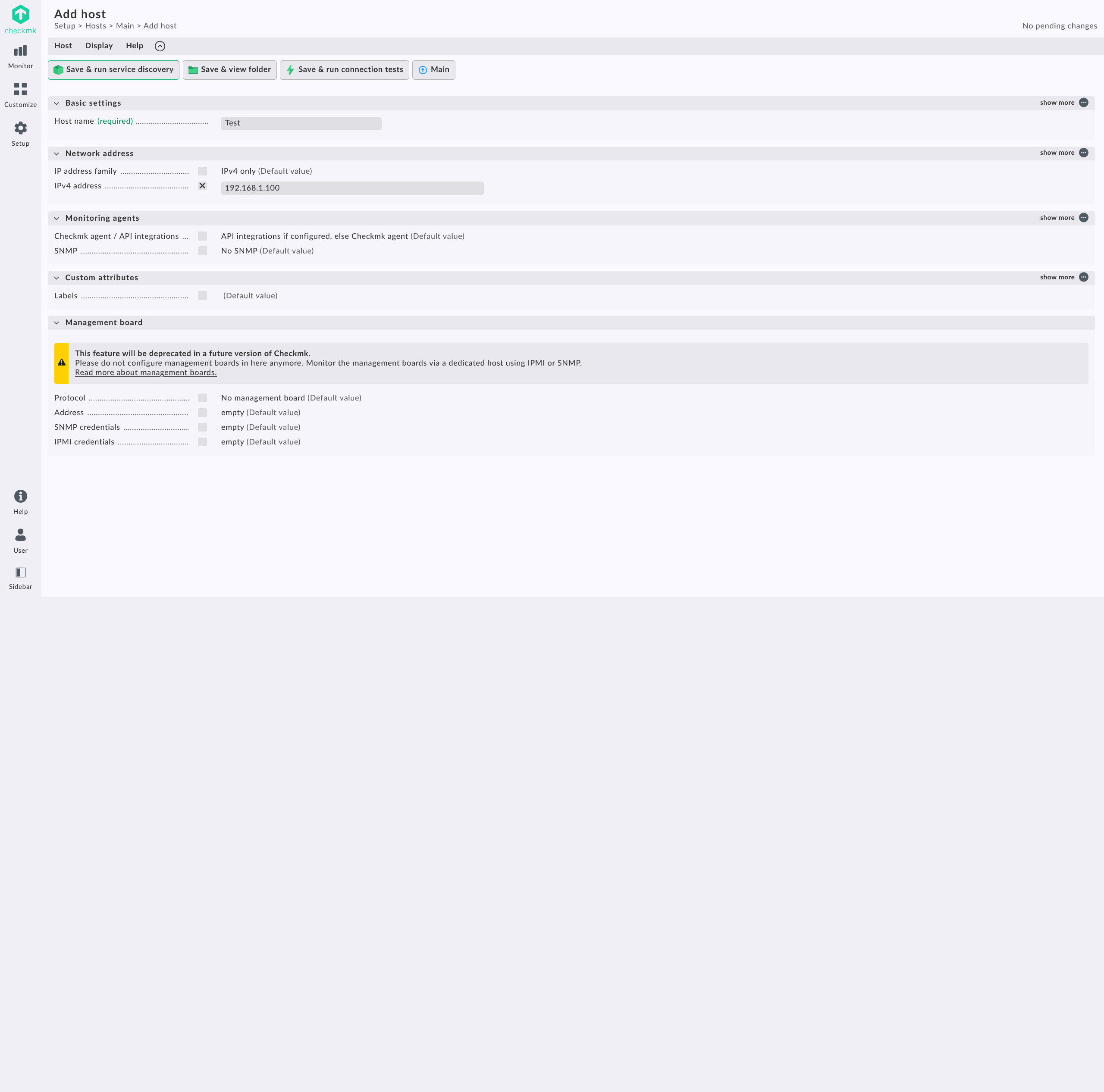
Enter in a Host name and the IPv4 address. If you want to network hardware SNMP exists and works quite well. In my case I often will place the Tailscale IP of my machine so that way I can get information via my Tailnet without needing to port forward and poke holes in my router/firewall. Once those have been entered hit Save & run service discovery. You will see a whole list of various things that checkmk has found. One option I always disable, since I don’t use TLS on my build at the moment, is the Check_MK Agent. This will cause annoying alerts that your link isn’t secure but since everything is local on my server, I just ignore it. Everything else is a great representation of this host. Some things I have obscured due to it showing personal file location and directories.
One thing I love about checkmk is that it will monitor your active file systems and will actually tell you if you have any file systems that are currently not monitored, and will ask if you want to enable it but hitting the plus sign on the left. If you don’t want to monitor it hit the red box and it will place it at the very bottom labeled under Disabled services.
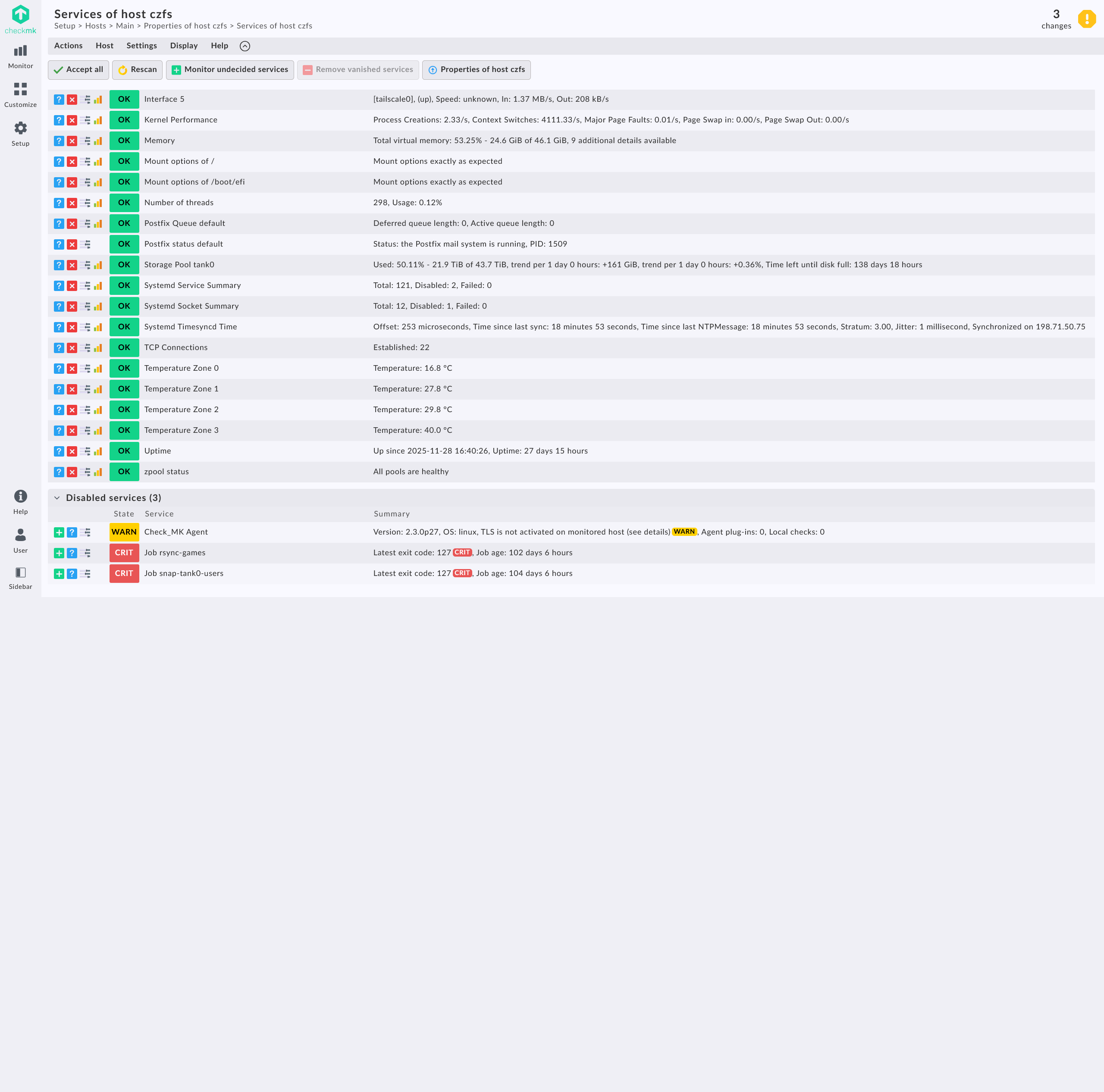
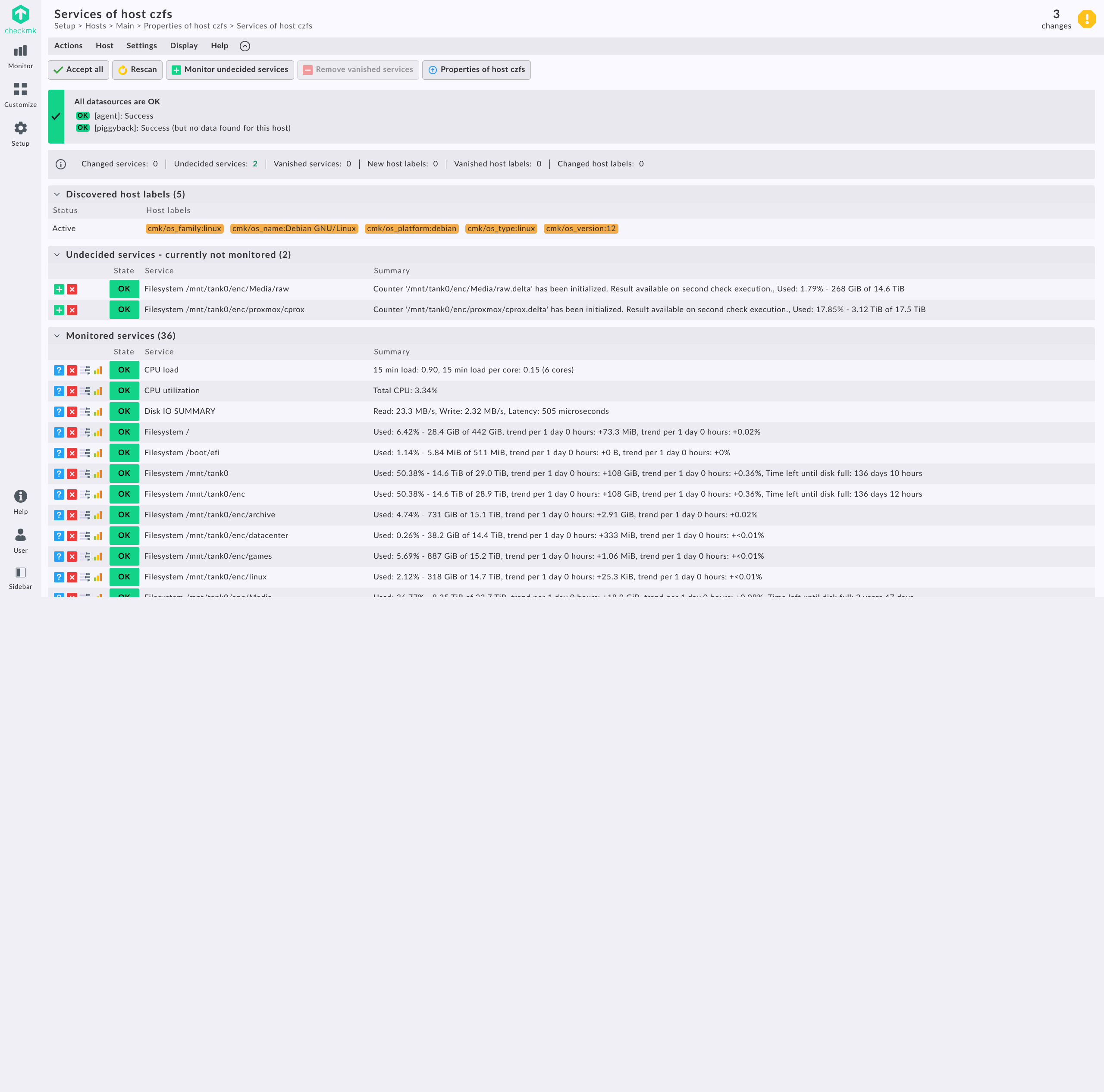
Once you’ve completed all the hit the Accept all button at the top and then the top right will show the amount of changes take place next to the Yellow Stop Sign in the top right. Finally hit Activate on selected sites and not in its place. Head to main Checkmk page and you will now have visual of your host with warnings, unknowns, and criticals if any.
From this point on you just need to do the same for all the other devices you want to monitor.
ntfy
This is where ntfy comes into play. ntfy for the uninitiated is notification platform that can be used via the cloud or self-hosted. To start out it might be easiest to just use the free cloud version, but I recommend using a name that nigh anyone could guess or else you might have people be able to see what your notifications are and also add their notifications causing a bunch of false data.
Under Setup -> Events -> Notification is where you can add the notifications for your servers. Email is the default and works well but I have found with email that sometimes the email client may take a bit too long to send notifications, as with anything email related, and things that are critical might get missed or sent out too late.
The app is where the software shines. Having it running and waiting for notifications all day will drain your battery a little bit more on your phone but its to me a little price to pay to have the simplicity of this setup.
Ways I use ntfy besides checkmk
- Ad-Hoc on one liner scripts that notify me of pass, fail, etc.
/usr/local/bin/cmd-ntfy backup-script.sh
- With Tailscale which notifies me of soon-to-be expiring keys and newly added devices
- With all of my cronjobs

This should be placed in the /usr/local/bin/ directory. As mentioned above, the default ntfy server will work but there is no security and you are sharing with other which is why I suggest you create your own server.
Change these lines in the cmd-ntfy file to use the default public server or to your custom domain that you have setup:
NTFY_SERVER="https://ntfy.sh/"
NTFY_TOPIC="whatever-unique-name-you-want"
NTFY_USER=""
NTFY_PASS=""
Running curl -d "Hello World!" https://ntfy.sh/whatever-unique-name-you-want will post Hello World! with a time stamp on that URL. Check it out for yourself, its there.
There is an app for Android that replicates this and is the way that I get my notifications.
Final
With these two servers set up I have very rarely missed something that my servers were having issues with like heat, missed cron jobs, and when a server goes down and for how long. They take a little work to setup but once its churning, things are like butter afterwards.